
How to Use AI as Your Design Assistant Without Losing Your Voice

This page may contain links from our sponsors. Here’s how we make money.
I’ve been using Midjourney for weeks, and everything I make looks the same”, a designer messaged me at 2 AM. “I feel like a glorified prompt jockey. How do I use AI without losing what makes my work mine?”
That frustration captures a growing anxiety in the design world. As AI tools like Midjourney and Figma AI become more accessible, many creatives worry they’re trading originality for efficiency. But if your relationship with AI feels like prompt jockeying, you’re using it wrong.
The best designers treat AI like a capable junior assistant, not a substitute for a creative director. It can execute ideas fast, but your direction gives them meaning.
Why AI Often Looks Generic
Let’s address the elephant in the room: AI-generated work often looks generic because most people are using AI generically. When you prompt Midjourney with “modern website design, clean, minimalist,” you’re going to get the same visual tropes that millions of other users are generating. The algorithm is averaging existing patterns, not inventing new ones.
This genericness isn’t a bug in the AI — it’s a feature of how it’s being used. AI tools excel at pattern recognition and recombination, which means they naturally gravitate toward popular, well-represented styles in their training data. Without human direction that pushes beyond these patterns, AI output converges toward a visual mean.
The solution isn’t to abandon AI tools. It’s to use them more strategically, with clear boundaries and intentional integration into your existing creative process.
The Assistant Mindset: AI Drafts, Humans Decide
The key to maintaining your creative voice while leveraging AI is treating it like what it actually is: a junior assistant with superhuman execution speed but limited strategic thinking. You wouldn’t let a junior designer make final creative decisions on a project, and you shouldn’t let AI do so either.
Instead, think of AI as exceptionally good at three specific tasks: rapid ideation, variation generation, and mechanical execution. It can create dozens of mood board concepts in minutes, generate endless color palette variations, or produce layout options faster than any human designer. But it can’t make strategic decisions about which concepts best serve your project goals.
This division of labor preserves what makes you irreplaceable — your judgment, your understanding of context, and your ability to synthesize client needs with user research — while accelerating the parts of the process that used to consume disproportionate amounts of time.
Application 1 — Use AI to Build Smarter Mood Boards
Traditional mood board creation often involves hours of Pinterest scrolling and image collecting. AI can compress this exploration phase dramatically, but only if you approach it strategically.

Instead of generic prompts, start with specific creative briefs that reflect your project’s unique context. For a fintech app targeting Gen Z users, don’t prompt “clean modern interface.” Instead, try “banking interface inspired by gaming aesthetics, neon accents, dark mode, cyberpunk undertones but trustworthy.”
The key is using AI to explore visual territories you might not have considered, then applying your judgment to select and refine concepts that align with your project goals. I recently worked on a wellness app where AI-generated mood boards introduced me to biophilic design patterns I hadn’t considered. The AI didn’t make the strategic decision to pursue that direction — I did, based on user research showing our audience’s connection to nature — but it gave me visual starting points I might have missed.
Generate 20-30 mood board variations, then ruthlessly curate based on your understanding of the project’s strategic objectives. The AI provides raw creative material; you provide the editorial judgment that transforms it into purposeful design direction.
Application 2 — Scale Layout Exploration with AI Tools
AI-powered Figma plugins like Genius and Magician are game-changers for layout exploration, but they work best when you provide clear creative constraints rather than open-ended prompts.
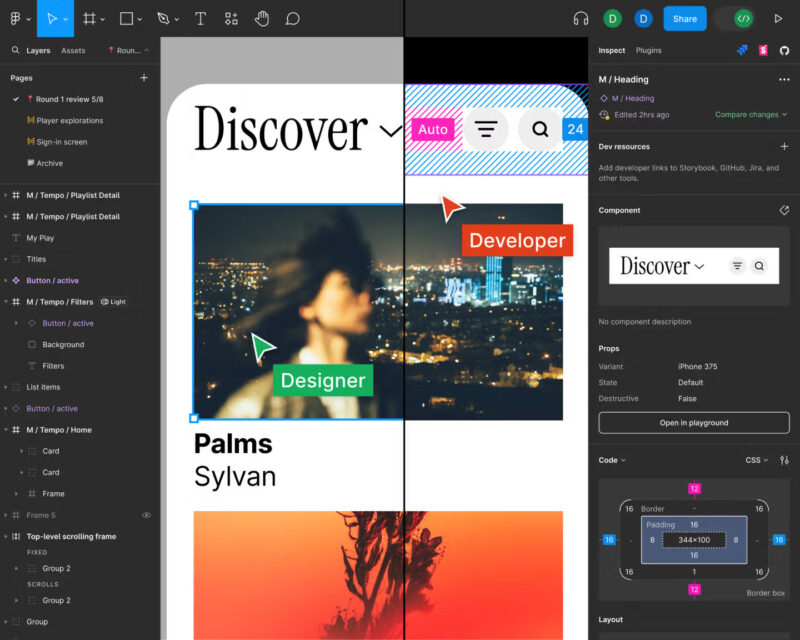
Start with wireframes that establish your content hierarchy and information architecture — the strategic foundation that AI can’t determine independently. Then use AI to rapidly generate visual variations within those constraints. You might input a wireframe for a SaaS landing page and prompt the AI to explore different visual treatments: “modern tech aesthetic,” “playful startup vibe,” “enterprise-professional tone.”
The magic happens in the comparison and combination phase. AI might generate a hero section treatment you love from one variation and a testimonials layout from another. Your job is recognizing these strong elements and synthesizing them into a cohesive design that serves your strategic objectives.
This approach preserves your role as the creative director while dramatically accelerating the exploration phase. You’re not accepting AI output wholesale — you’re using it to rapidly prototype ideas that you then evaluate and refine through your human judgment.
Application 3 — Use AI for Color and Copy Testing
Use AI to accelerate your testing phase, whether you’re refining color palettes or experimenting with headlines and copy. These creative elements shape the emotional tone of your design, so approach AI as a rapid-iteration partner, rather than a final decision-maker.
For color: Base the prompt on the emotion or psychology you want to evoke, not just a visual style.
Example: “Calming earth tones that suggest natural environments, avoid clinical or sterile associations, and evoke warmth without high energy.”

Generate several palette options, then evaluate which combinations best achieve your psychological brand objectives. You might adjust contrast ratios for accessibility or tweak saturation to maintain harmony, decisions that require your human judgment.
For copy: Give AI clear context about your audience, tone, and intent.
Example: “Write headlines for a productivity app targeting burned-out knowledge workers. Tone: empathetic and realistic— avoid hustle-culture language”.
Let AI produce a range of options, then test the strongest headlines within your design mockups to see how they influence hierarchy and user perception.
AI speeds up the iteration process, but you decide which color-copy combinations communicate your brand’s personality and support your design goals.
How to Maintain Your Creative Voice
The thread connecting all these applications is intentionality. Your creative voice emerges from the strategic decisions you make about AI output, not from the output itself. It lives in your choice to pursue biophilic design patterns over minimalist aesthetics, your decision to emphasize empathy over efficiency in your copy, and your judgment about which color relationships best serve your users’ psychological needs.
To keep your creative voice consistent as you collaborate with AI, follow these three steps:
- Provide context, not just prompts.
Start with your own ideas, project goals, and examples of your tone and brand style. Give AI enough context to understand your creative direction before it generates anything.
- Refine and personalize the output
Treat AI results as drafts, edit them to reflect your unique perspective, humor, and experience. Inject phrasing that sounds like you.
- Systematize your process
Create a prompt library and brand voice guide so your AI collaborations stay consistent across projects. Over time, this helps AI reflect your tone more naturally.
AI can generate infinite variations, but your voice emerges from the curation, combination, and refinement of those variations according to your understanding of design strategy, user psychology, and brand objectives.
Think of AI as expanding your creative palette rather than replacing your artistic judgment. A painter doesn’t lose their voice when they gain access to new pigments — they express it more fully by having more options to choose from. Similarly, AI tools give you more creative material to work with, but your voice emerges from how you select, combine, and refine that material.
Create Boundaries Between You and AI
To maintain your voice while using AI effectively, establish clear boundaries about where AI contributes and where you maintain control:
AI handles: Rapid ideation, variation generation, mechanical execution, pattern exploration, and repetitive tasks.
You handle: Strategic direction, creative curation, contextual judgment, user empathy, brand alignment, and final decision-making.
Collaborative zones: Concept refinement, visual exploration, and iterative improvement where AI generates options and you provide direction.
These boundaries aren’t rigid rules — they’re guardrails that help you leverage AI’s strengths while preserving the human judgment that makes your work distinctive.
Why Curation Is Your Competitive Advantage
Here’s what many designers miss: in an age of infinite AI-generated content, curation becomes exponentially more valuable. Anyone can generate a hundred logo variations with Midjourney, but it takes design expertise to identify which variations best serve strategic objectives and synthesize them into a cohesive brand identity.
Your competitive advantage isn’t in your ability to generate content — it’s in your ability to evaluate, refine, and contextualize content according to deeper strategic understanding. AI democratizes content creation, but it simultaneously increases demand for human judgment that transforms content into meaningful communication.
The designers who thrive with AI won’t be those who generate the most output. They’ll be those who make the best decisions about which output to pursue, how to refine it, and how to integrate it into larger strategic frameworks.
Beyond the Prompt Jockey Fear
The fear of becoming a “prompt jockey” assumes that creativity lies primarily in execution rather than decision-making. But the most valuable creative work has always been about strategic choices: which problems to solve, which audiences to prioritize, which emotional responses to evoke, which brand attributes to emphasize.
AI handles more execution, but it simultaneously elevates the importance of these strategic decisions. When everyone has access to sophisticated content generation, the differentiator becomes the wisdom to make good choices about what to generate and how to refine it.
Your creative voice isn’t threatened by AI assistance any more than a film director’s vision is threatened by having a larger crew. The voice emerges from the creative decisions, not from personally executing every technical task.
True Creativity Lives in the Decisions
The message I sent back to that 2 AM DM was simple: “Stop treating AI like your creative director. Start treating it like your most capable junior designer. Give it a clear strategic direction, use its output as raw material, and make the creative decisions that transform that material into purposeful design.”
AI won’t make you generic unless you use it generically. It won’t eliminate your creative voice unless you abdicate your role as the decision-maker. Used strategically, it becomes a powerful amplifier of your existing creative capabilities — handling the mechanical tasks that used to consume your time so you can focus on the strategic thinking that defines your unique value.
The future of design isn’t about humans versus AI. It’s about humans with AI versus humans without it. The designers who embrace this collaboration while maintaining clear creative boundaries will find themselves working on more interesting problems, exploring more creative territories, and having greater impact on the products and experiences that shape our world.
Your creative voice was never in your ability to push pixels or generate variations. It was always in your decisions about which pixels to push and why. AI just gives you more options to choose from.
The creativity is in the choosing.
